
Best Email Template Builders (July 2026)
Every email template builder looks the same, with the same promise: “Design beautiful emails.” But when it comes to the inner workings, little things can create a huge difference. When writing this article, I've personally tested each email template builder, and the ones on the list are each good for different things. I've been in digital marketing academically and professionally for over 7 years now, and what you'll read in this article is my personal experience and point of view.
Even though they are not on the list, email builders such as BeeFree and Stripo are also good email template builders for some. However, I wanted to include Designmodo, Tabular, and Kit in this list based on my experiences and how they can be useful in ways I desired, and I think that is important. The guide essentially covers my short-term experiences with these email builders, including but not limited to the onboarding process, the template libraries, the drag-and-drop experience, ease of use, organizational features such as history of changes and comments, and, of course, responsive design.
Even though this article has been published on Tabular, I'm also a user and have long experience with the builder. In order to be fair, I excluded the aspects about long-term use, such as deliverability, performance, dynamic content, personalization and reliability, from this list. Even though I had an excellent journey with Tabular, I hadn't had the chance to use Designmodo and Kit for a long time, so it wouldn't be fair. Every observation about Postcards and Kit below comes from my own hands-on testing, with screenshots and screen recordings to back it up, including the things they do better.
| Tabular | Designmodo Postcards | Kit | |
|---|---|---|---|
| Type | Standalone Drag and Drop Email Builder | Standalone Drag and Drop Email Builder | Full email platform (ESP) with built-in editor |
| Free templates | All templates free (≈90) | 20 free templates | 9 free email templates |
| Pre-made modules | Yes | Yes | No |
| Drag and Drop Interface | Yes — with layers panel and drop indicators | Limited compared to Tabular's: nested containers can’t be repositioned | No free container layout |
| Layers / structure view | Yes | Yes | Limited |
| Responsive editing | Device switcher + per-device adjustments | Responsive tab, no device selection | No responsive controls |
| Share drafts | Yes, via a live link. No account is required for the viewer. | With an invite, the recipient needs an account. | Within the platform |
| Team brand assets | Teamspace blocks + teamspace styles | Brand presets | Basic brand settings |
| Commenting | Yes | Yes | No |
| Multilingual template versions | Yes | No | No |
| Change History | No | Yes | No |
| Custom code | Yes | Yes | No |
| Export HTML | Yes, 20+ ESP integrations + HTML export | Yes, HTML export | No — emails live inside Kit |
The Best Email Template Builders
I had a brief experience with Kit when I had a newsletter, and I genuinely love the platform. It's good to consider that Kit doesn't offer the same capabilities as Designmodo Postcards and Tabular, but it offers very capable ones as a whole in one newsletter platform. Of course, there are workarounds for some aspects, such as multilingual email templates, but I believe the reason to use email template builders is to gain efficiency, save time, and have an easier workflow. Otherwise, we'd all be coding email templates.
1.Tabular
Tabular is a dedicated drag-and-drop email template builder with many capabilities, especially for designers and large organizations.
Tabular allows you to design email templates, export as PDF or HTML and push it directly to your email sending platform through one of 20+ ESP integrations.







Every email template in Tabular's gallery is free.
Unlike Designmodo Postcards, every email template design you see in Tabular is available for free on every user plan.
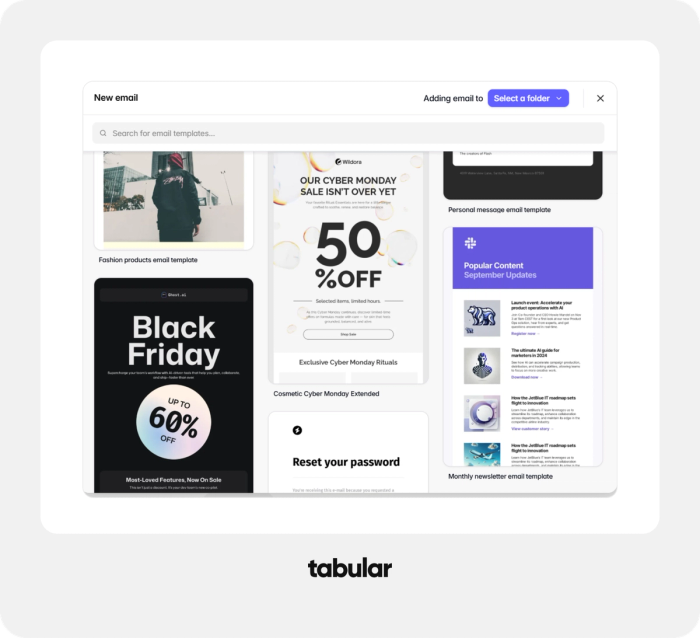
Tabular is very user-friendly in that sense. Most businesses only need one promotional email template, one transactional email template, and one welcome email template. With Tabular's free plan, you can customize any email template you see for your business and continue using the free plan.
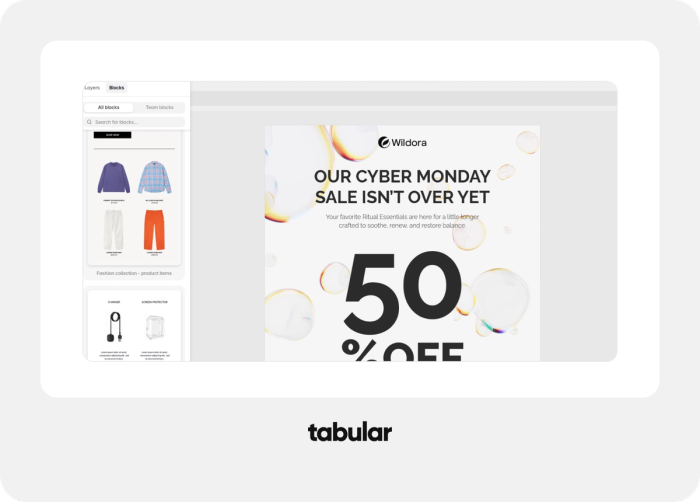
Quality pre-made modules speed up the process.
Tabular offers professionally designed headers, footers, product grids, CTA sections as modules to use in your template designs. These modules can also be saved as branded custom presets.
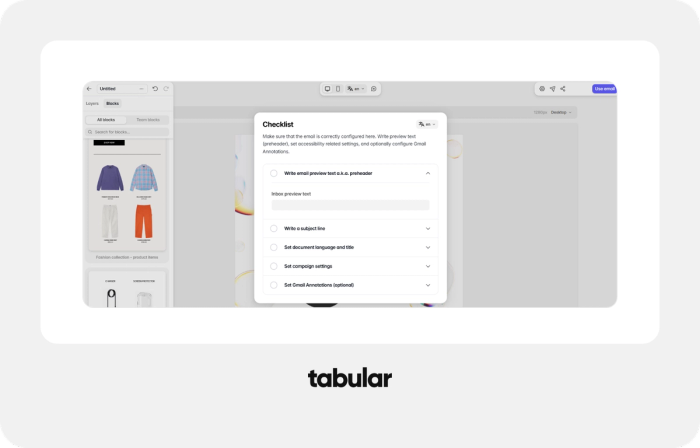
Tabular email builder is beginner friendly.
Even though designers create emails, most of them are not email marketers, there’s a built-in email building checklist that walks newcomers through the steps of a complete email, which makes the first session far less intimidating. Tabular is a great email template builder for designers.
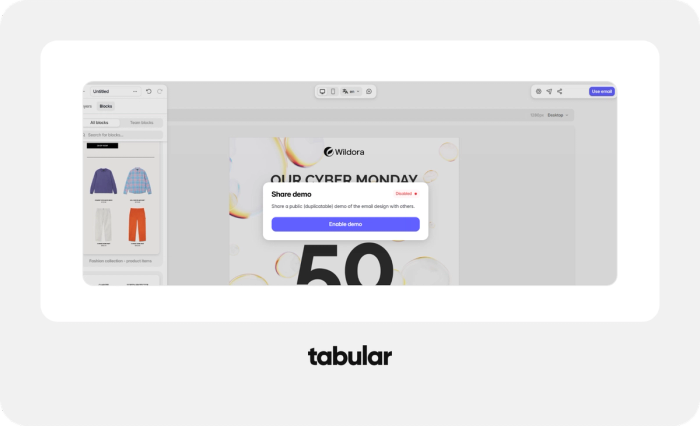
Sharing email template drafts is super easy with the Tabular email builder.
Tabular generates a live URL for any email, and the recipient doesn’t need a Tabular account to open it. This makes it easier for agencies and freelancers to share email template drafts with clients.
Tabular is a great email builder for creating branded designs and supporting large organizations.
Teamspace blocks let you save branded, reusable sections that everyone on the team can drop into their emails, and teamspace styles keep fonts, colors, and spacing consistent across every template the team produces. Combined with in-editor commenting, review cycles happen inside Tabular's
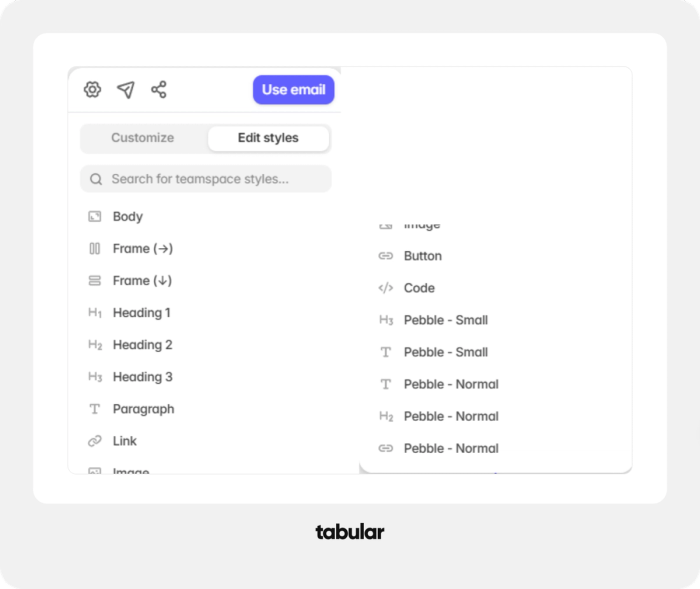
- Teamspace styles: The default look of every element type — body, frames, headings 1 through 3, paragraphs, links, images, buttons, and code blocks. Define them once and every new email starts on brand instead of being restyled by hand. You can also save custom named styles for recurring variations, like a caption size or a secondary button treatment.
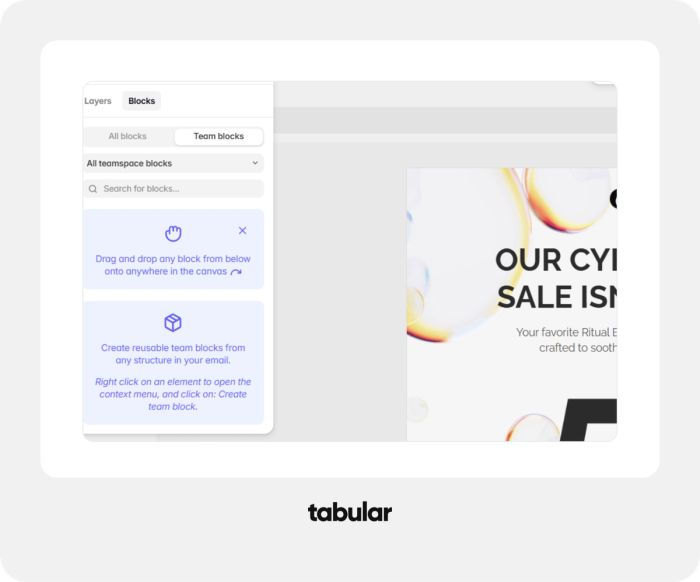
- Teamspace blocks: Entire reusable sections, created from any structure in any email: right-click an element and turn your header, footer, product grid, or legal disclaimer into a drag-and-drop block the whole team shares — so the brand's building parts live in one shared library instead of being copy-pasted between emails.
- Custom teamspace fonts, with fallbacks handled properly. Open the font picker, switch to the Team tab, and point Tabular at the CSS file of any hosted font — Adobe Fonts, CDN Fonts, or files on your own server. Tabular reads the @font-face declarations in that file and turns them into custom fonts you can reuse in every email within your teamspace.
Tabular's drag-and-drop email builder is easy to use and allows more design freedom.
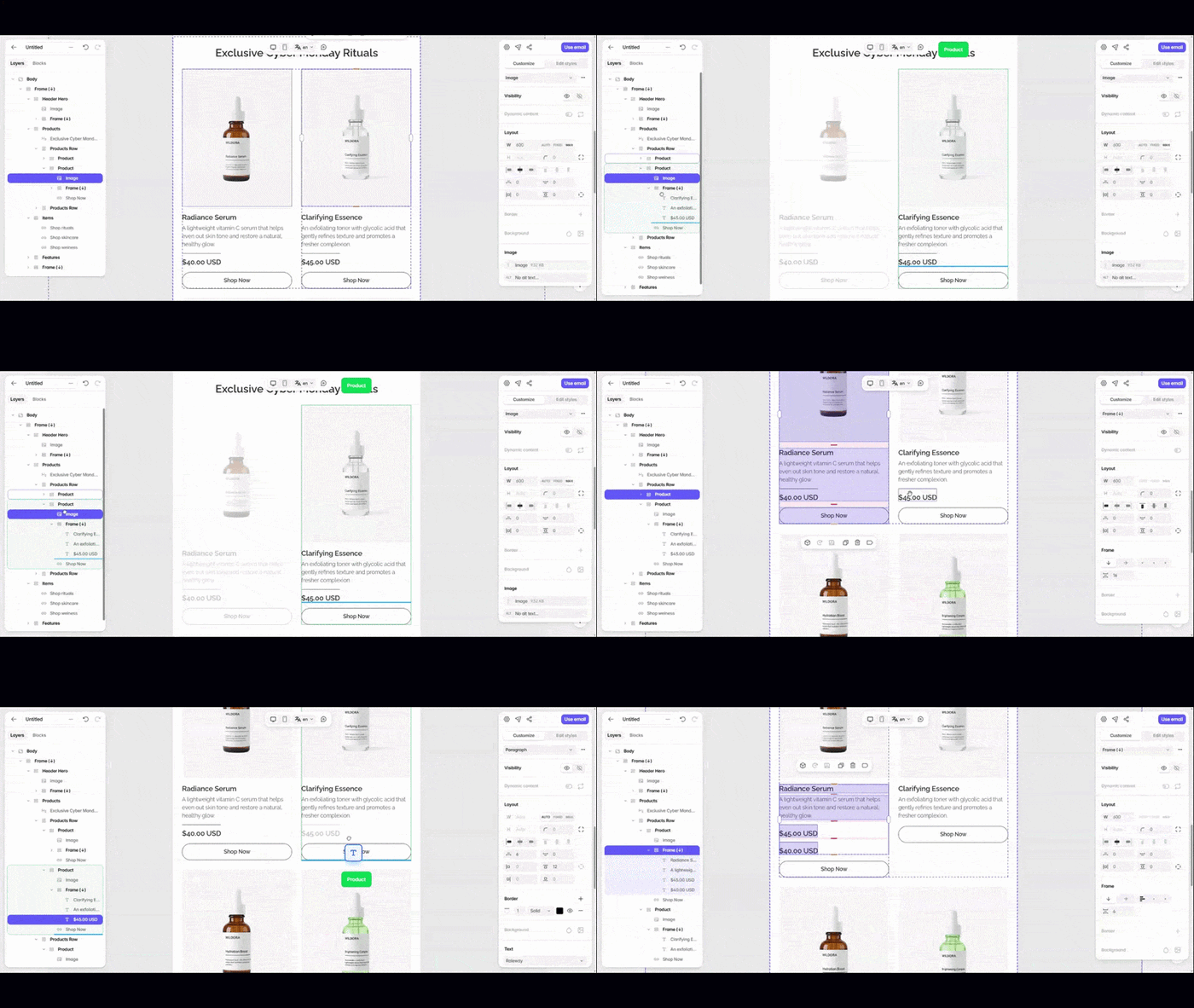
I think this is where Tabular shines. Moving containers and modules in Tabular was a genuinely different experience from Postcards (more on that comparison below). You get a clear blue insertion indicator showing exactly where the element will land, a layers panel that displays the full structure of the email — containers, columns, images, and text — and the freedom to nest and rearrange containers however you want. It works very similarly to other design tools, so designers can grasp how it works very quickly.
Tabular makes collaborative work easy with in-editor commenting and team workspace roles.
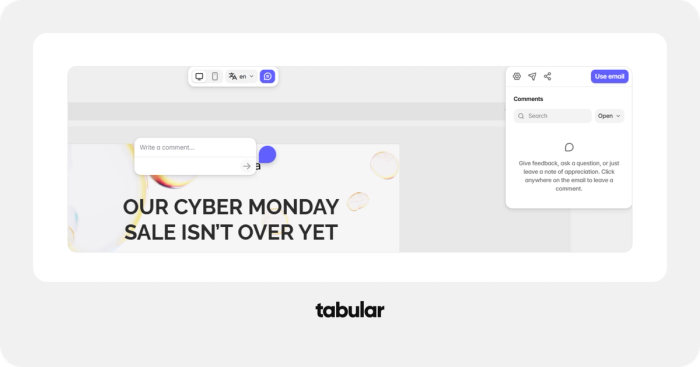
You can go into commenting mode and place a comment anywhere on the email design, and teammates who have editing access to that email can reply and resolve comments. Feedback is tied to a specific element, and the team replies and resolves comments in a dedicated sidebar. One detail worth using in the article: comments are specific to the viewport and language version, so a comment about a German translation won't clutter the English view.
Tabular allows you to choose who can edit or view the email templates.
- Organization level: you invite people to join your organization as an Admin, Member, or Guest; organization Guests are unlimited and free, while the number of Admins or Members depends on your subscription plan.
- Teamspace level: per teamspace you manage which organization members or guests can view or edit emails, and people from the organization can be added to teamspaces as admin, member, or guest — with organization Guests only addable as Teamspace Viewers. Admins and Members can create and edit, while Guests can be added as Viewers — client review access without risking accidental changes.
- Visibility: teamspaces can be set as closed or open to be joined by other organization members, and on the Organization plan you can set teamspaces to be secret — hidden from other organization members by default and visible only to those already in that teamspace.
Create email templates with an actual device switcher.
This is another area where Tabular goes ahead of its competitors. You can switch between desktop and mobile views and adjust the design for each device, rather than relying on a single generic “responsive” preview.
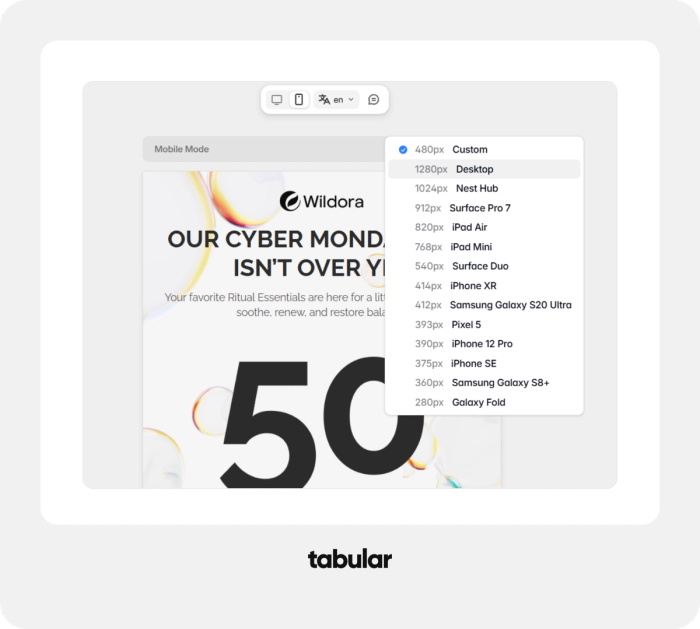
Build multilingual email template bundles easily with Tabular.
You can maintain language variants of the same template — a real advantage if you send campaigns in more than one market, and something neither of the other two builders offered.
2. Kit Email Designer
Kit (formerly ConvertKit) is a different tool: it’s a full email marketing platform for creators, with audience management, automation, and monetization built in. The email designer is one feature inside a much bigger product — and to be fair to Kit, we evaluated only the builder here, because that’s what this guide is about. As a 360° newsletter platform, Kit is very good.
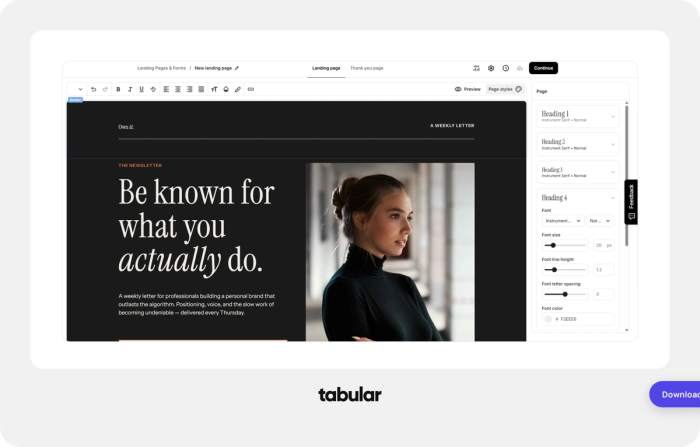
Kit also allows users to create custom HTML email templates. You can create your email template design using a dedicated drag-and-drop email builder like Tabular or Postcards and use it with Kit.
The editor is simple — genuinely simple. You add content blocks (text, image, button, divider) to a single column and style them from a sidebar. For a plain creator newsletter, that’s arguably fine: less to learn, fewer ways to break the design.
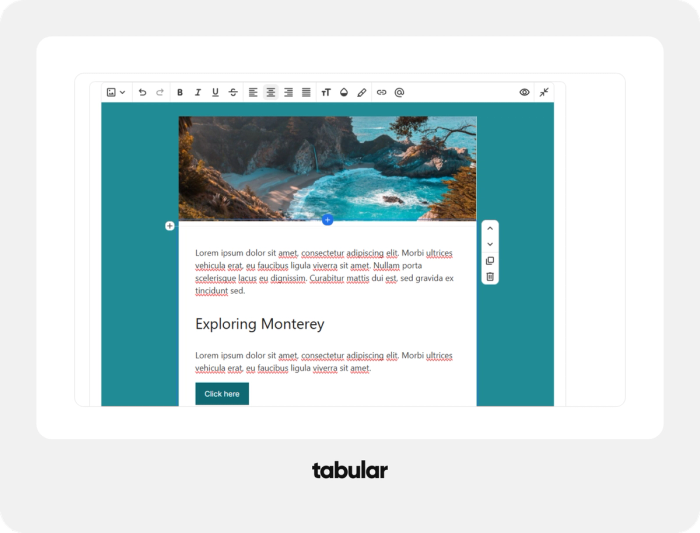
But as a template builder:
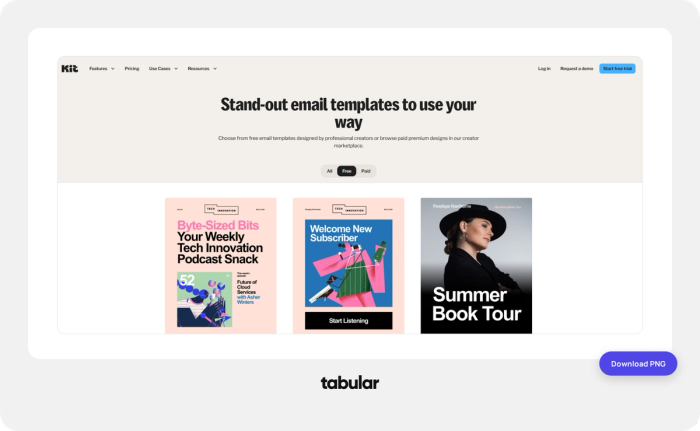
- 9 free templates. That’s the entire free library, and it’s the smallest selection we saw.
- There are no pre-made sections to drop in — every email is assembled block by block.
- No free container layout. You can’t structure the email with containers and columns the way you can in a dedicated builder; the design lives inside Kit’s fixed structure.
- Limited layers view. It's hard to navigate the structure of your email.
- No responsive controls. You don’t get device previews or per-device adjustments.
There’s also a structural point worth understanding: Kit’s editor exists to send emails through Kit. There’s no exporting your design as HTML to use elsewhere — the template and the platform are a package deal.
3. Designmodo Postcards
Postcards by Designmodo is the veteran of this group, and parts of it are genuinely excellent.
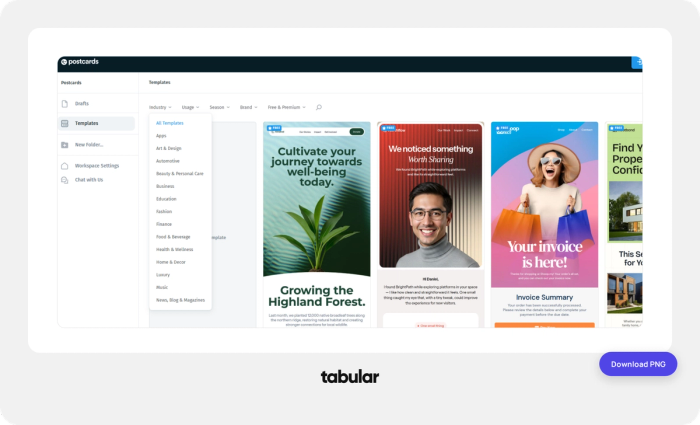
The onboarding is quick and smart. Signup takes seconds, and Postcards drops you straight into a template gallery you can filter by category — you’re looking at real designs almost immediately.
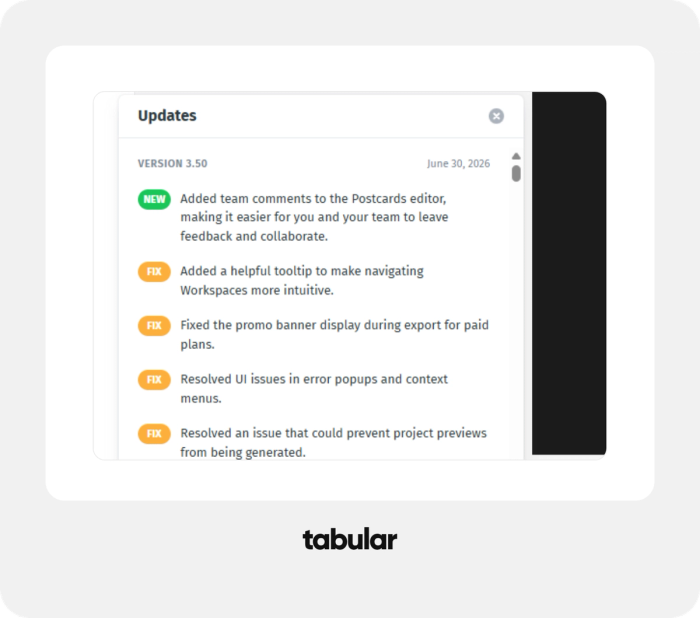
A visible product changelog shows you what’s shipped recently
Including team comments, there’s also a system to track the changes made to the template design. On top of commenting, this is a great feature for larger teams and email designs that have multiple people working on them.
Easily accessible image gallery
Just like Tabular, you can store brand assets in Designmodo. However, I personally liked Designmodo's ease of use when trying to access the image gallery. Even though it is not a unique feature, it is designed to be more user-friendly.
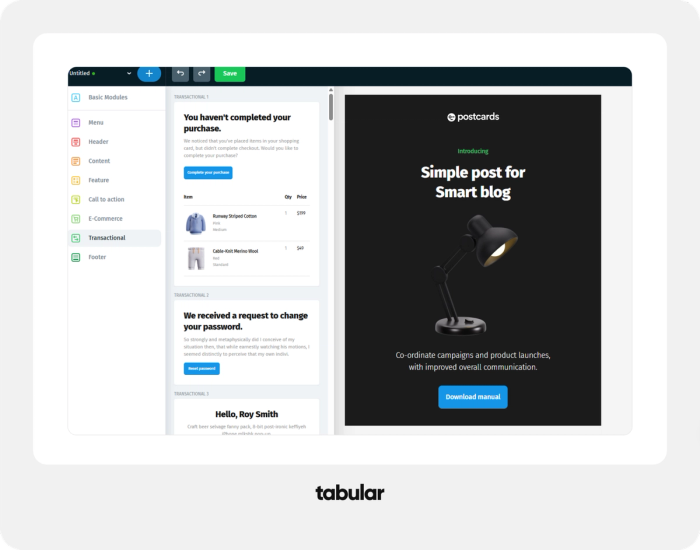
Modular system
Organized into categories (menu, header, content, feature, call-to-action, e-commerce, transactional, footer).
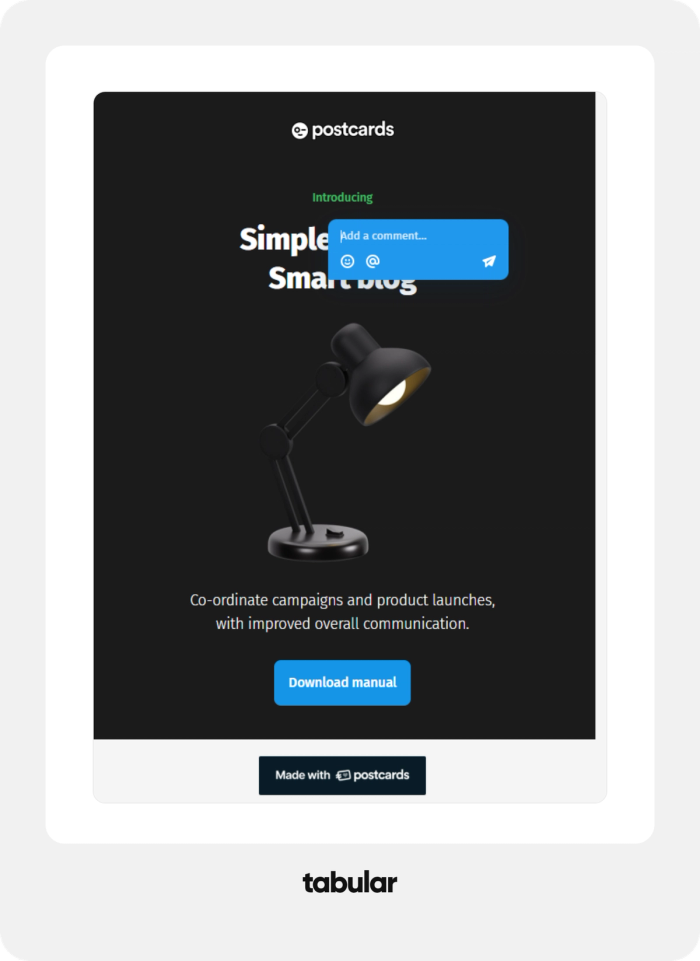
Commenting for collaboration.
Designmodo, similar to Tabular, implements a commenting system for feedback, which I think is great. Why change something that already works?
The template gallery itself is also professionally designed, and filterable by industry, usage, season, brand, and free versus premium — but the free tier unlocks 20 templates, with the rest reserved for paid plans. The free Start plan also caps you at 10 template projects and 3 exports per month, and our test drafts carried a "Made with Postcards" badge.
You can invite collaborators by email with assigned roles or by sharing an invite link. It's a straightforward and functional setup for teams that work entirely within Postcards. However, for clients who are outside the ecosystem, it isn't an ideal way to share email drafts.
There's no public live link you can send to a client or stakeholder outside the company.
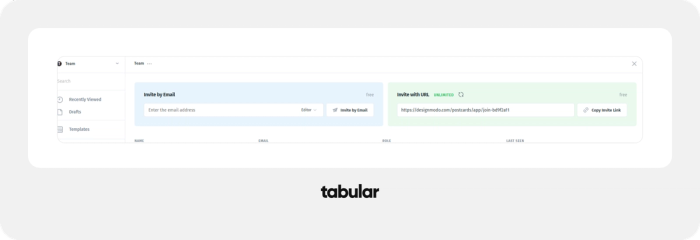
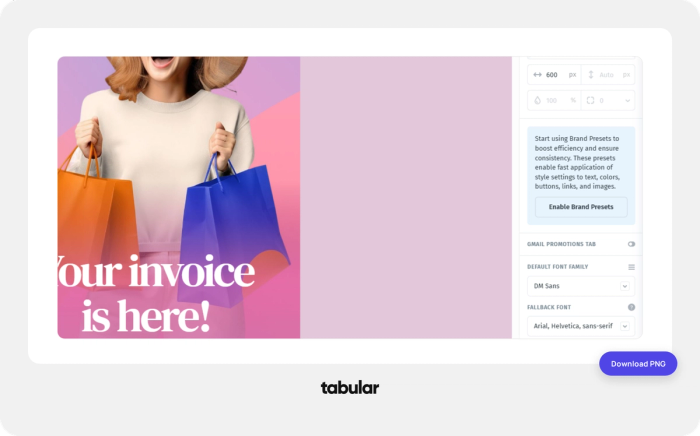
Postcards includes an optional Brand Presets system you enable from the settings panel, which applies saved style settings — text, colors, buttons, links, and images — across your designs for fast, consistent styling.
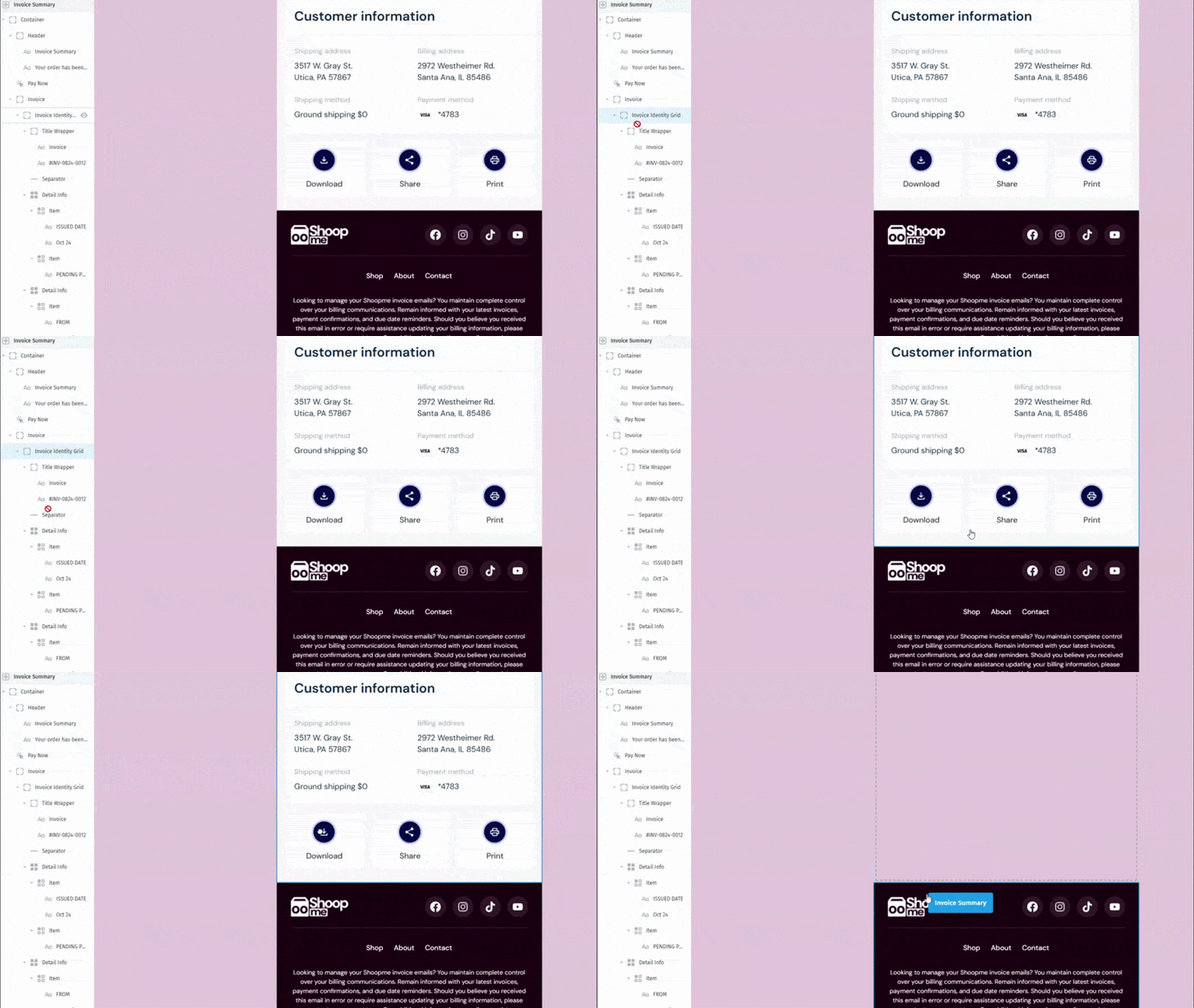
The editor is more capable than it first appears: a full element tree in the left panel shows every container, grid, and item in the email, you can select any level of the structure, and a floating toolbar handles duplicating and deleting.
Reordering whole modules vertically works. Where it strains is moving elements between containers. Postcards works best when you assemble modules top-to-bottom and customize them in place.
Designmodo Postcards doesn't offer the same design freedom and drag-and-drop experience as Tabular Email Builder. As you can see in the recording, the elements don't work as smoothly when used inside nested elements.
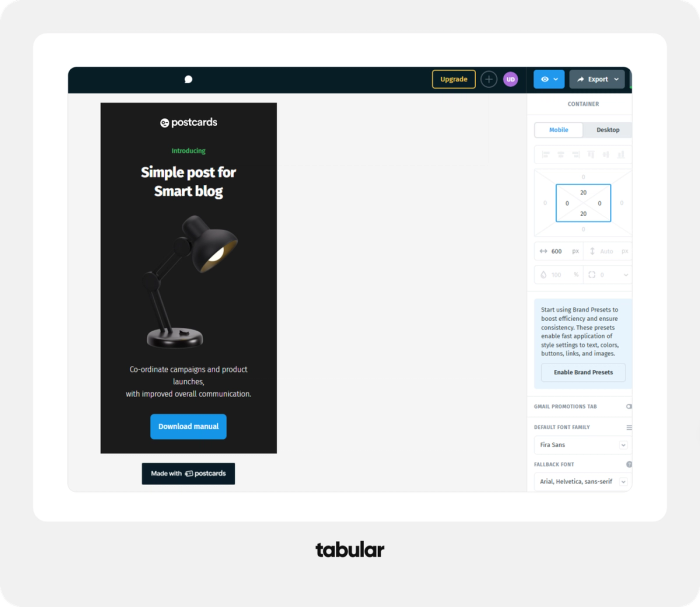
Responsive design is another area where Tabular outperforms Designmodo Postcards. Postcards covers the basics: a responsive tab lets you check the design in desktop and mobile views, and because emails are assembled from pre-built modules, the layouts adapt reliably without much intervention. What's missing is device selection — there's no list of specific widths or devices to preview against, you have to adjust manually.
Pricing
The free plans are built around opposite philosophies. Postcards Start is more generous on raw workspace capacity: 10 template projects to Tabular's 3 stored emails, 5 exports to Tabular's 3. Tabular's free plan is more generous on scope: the entire template library (versus 20 templates on Postcards), live demo URLs that outsiders can open without an account. In our testing, the free tier of Postcards was enough to evaluate the builder; the free tier of Tabular was enough to actually run a small team's workflow.
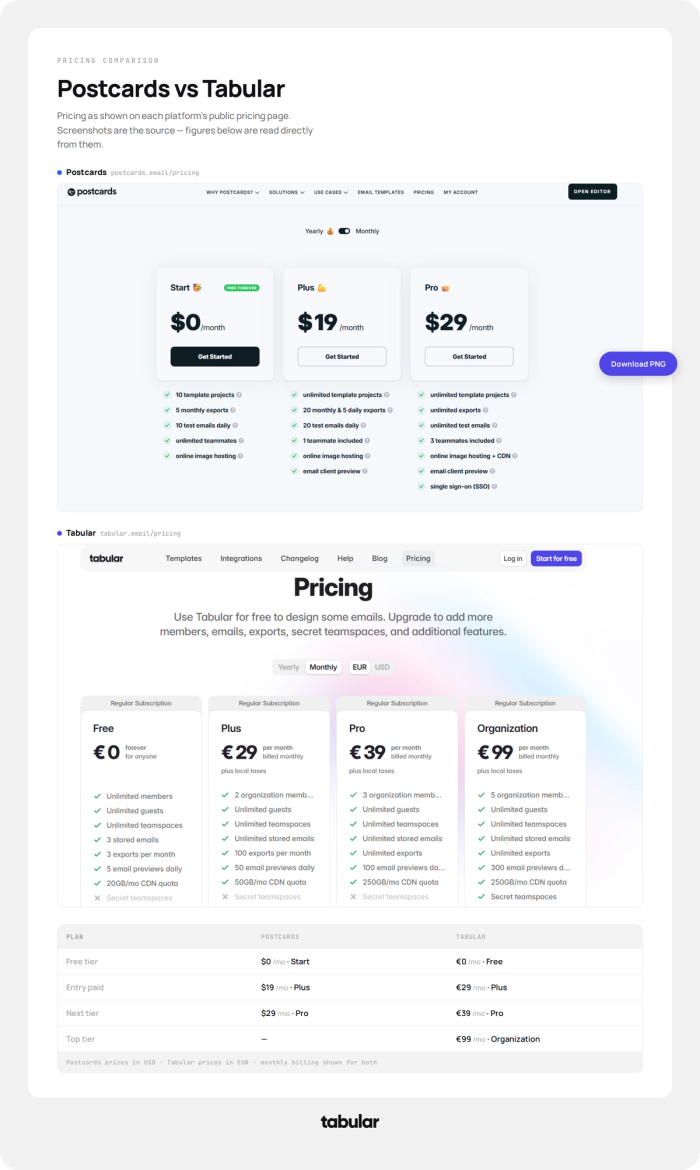
What the money actually unlocks differs. On Postcards, upgrading buys access as much as capacity: the rest of the template library sits behind paid plans, email client preview starts at Plus, CDN delivery and SSO arrive at Pro — SSO at $29/month is genuinely unusual and a nice inclusion for that price. On Tabular, essentially every feature we tested — containers and layers, device-based responsive editing, multilingual versions, live sharing, brand assets — is already in the free plan; paid tiers buy volume (exports, stored emails, previews, CDN) and seats.
The honest bottom line: a solo marketer exporting a handful of emails a month gets more workspace room from Postcards' free plan and a cheaper unlimited tier when they outgrow it. A team whose bottleneck is review cycles, brand consistency, or client access gets more from Tabular's free plan than from either tool's cheapest paid plan — and pays for capacity only when volume demands it. Neither pricing page is hiding much; they're just monetizing different things: Postcards charges you to unlock the product, Tabular charges you to use more of it.
So, What Is the Best Email Template Builder?
When writing this article, I had some doubts since it was published on our own website. However, after browsing through articles with paid placements and biased reviews, I decided to create a truly experience-based comparison.
I tested every major email builder, including Beefree, Stripo, Designmodo, Tabular, KiK, Topol, EcoFree, and more. It took me weeks to review all of them, and unlike many other "best email template builder" lists, this one is based on hands-on experience and my own personal opinion.
Each email template builder is great for a reason, and in my opinion, the best choice depends on the specific use case.
Designmodo Postcards — best value for money. If the question is how much builder you get per dollar, Postcards wins this comparison. Its paid plans undercut Tabular at every tier — $19/month for Plus against €29, $29 for Pro against €39 — and that $29 already buys unlimited exports, unlimited test emails, email client preview, CDN-backed image hosting, and even single sign-on, a feature most tools reserve for enterprise pricing. The free Start plan is a genuinely usable workspace too, with 10 template projects, 5 monthly exports, and 10 test emails a day. The trade you're making is flexibility, not quality: the money saved comes with a relatively limited builder, branding and organizational features. For a solo marketer or small team whose emails follow a consistent stacked-module structure, that trade is easy to take.
Tabular — best interface, design freedom, and collaboration for larger organizations. Tabular is the tool that felt most like a modern design product in testing: a layers panel showing the email's full structure, containers that move wherever the blue insertion line points, per-device responsive editing, and a built-in checklist that makes the first session approachable rather than intimidating. That design freedom pairs with the deepest collaboration stack of the three — live demo URLs anyone can open without an account, commenting pinned to specific elements (and even to a specific device view and language version), and a two-layer role system of organization admins, members, and unlimited free guests spread across unlimited teamspaces, each with its own styles, blocks, and fonts. For an agency or a multi-brand organization where many hands touch every email, this infrastructure — capped off by secret teamspaces on the Organization plan — is the difference between a builder and a workflow. You pay for volume as you grow, but every feature is there from the free plan onward.
Kit — best as a whole platform, and for newsletters. Kit isn't really competing on the builder, and it doesn't need to: it's a complete email operation in one login — audience management, automations, monetization, and sending — with a free plan that covers up to 10,000 subscribers, which neither standalone builder can answer because neither one sends anything. The editor itself is the simplest of the three by design: block-based, single-column, nine free templates, no exports, because the email you make in Kit lives and sends in Kit. For a creator whose product is the newsletter itself, that simplicity is a feature — there's nothing to integrate, nothing to export, and no second tool to pay for. Choose it for the platform and accept the editor; if your design ambitions ever outgrow it, you can always create your designs using a dedicated email builder like Tabular or Postcards and add as a custom email template.
FAQ
What’s the difference between a standalone email builder and an ESP’s built-in editor?
A standalone builder (like Tabular or Postcards) produces email templates as portable HTML you can use with any sending platform. An ESP’s built-in editor (like Kit’s) designs emails that live and send inside that platform only. Standalone builders typically offer far more design control; built-in editors offer convenience.
Can I use these builders for free?
All three have free tiers, but they’re very different. Tabular gives you the entire template library and the full builder for free, with paid plans adding exports, members, and teamspaces. Postcards limits the free plan to 20 templates. Kit’s free plan includes only 9 templates — though it’s generous on the platform side, supporting up to 10,000 subscribers.
Which builder is best for teams?
Tabular was the only one of the three with the full collaboration set: shareable live URLs that work without an account, in-editor commenting, and teamspace blocks, styles, and fonts that keep everyone’s emails on brand.
Do these builders make responsive emails?
All three output mobile-friendly emails, but control varies. Tabular lets you switch devices and adjust the design per device. Postcards has a responsive tab but no device selection. Kit offers no responsive editing controls.